Reusable React Visual Editor
Make the page your canvas.
Select a heading, change the words, try a color. The page responds right where you’re looking.
Change the heading or choose an accent →
Select. Adjust.
See it happen.
Little observations.
Room for the next one.
Try it here. Sample changes stay in this page and reset when you leave.
Visual control over the page. React still runs the experience.
ImplementedInside the codeSanitized excerpt +
Render a registered experience
Excerpt from the reusable renderer, formatted for reading. The registry contains application-defined components.
PageRenderer · native component branchcase 'Native':
return (
<div {...common}>
{registry[p.component || '']?.render(p, document)}
</div>
);
// Page content selects a registered component.
// Its behavior stays in the React implementation.
Details & evidenceThe deeper read +
Implemented as private reusable packages with an independent local sample. This is not a released public npm package or an unrestricted no-code application builder. Licensed reference designs and client assets are not redistributed as editor components.
01Edit the experience without flattening it+
A conventional page builder works well for text and images but can erase the value of an existing interactive application. I built an editor that treats native React experiences as registered components. Their behavior remains in application code while approved content and design properties become editable in context.
02Layers, canvas, and properties+
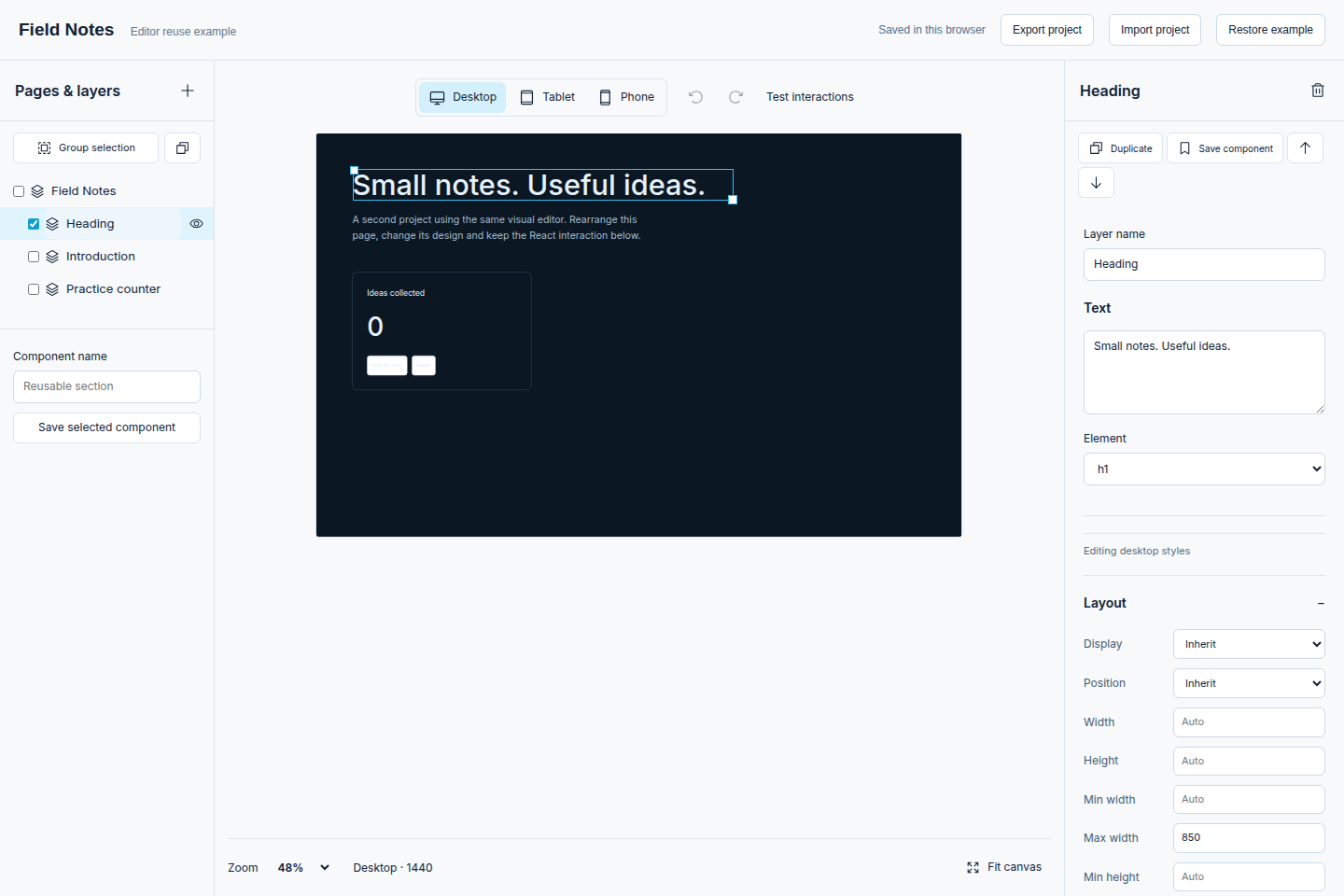
Craft.js provides component composition and serialized canvas state. The surrounding interface supplies a layer hierarchy, selection, inline text editing, duplication, grouping, placement, and property controls. The canvas is paired with a reusable renderer so a saved page can be displayed without loading the editor interface for ordinary visitors.
03Responsive design as authored state+
The properties model covers layout, spacing, typography, colors, backgrounds, borders, shadows, visibility, and breakpoint overrides. Desktop, tablet, and phone previews help the owner inspect how decisions behave across widths. Undo and redo make experimentation reversible, and saved page state can be exported and imported.
04A bridge to existing application components+
Stable element registration connects selected parts of the portfolio to a native design inspector. Bound text, links, and images are editable while scoped styles apply to the intended page or shared component. The editor exposes declared capabilities rather than treating arbitrary JavaScript entered by an owner as page content.
05Composition and application behavior+
A content author can rearrange supported components and adjust their presentation. A new calculator, integration, or application workflow still requires implementation in code. This boundary keeps the editing model understandable and makes it possible to validate a document before publication without claiming that every behavior can be created by dragging blocks.
06Proof outside the portfolio+
The separate Field Notes sample uses the same packages with a different set of content and components. Local browser checks exercised persistence, grouping, keyboard resizing, breakpoint behavior, and export/import handling. That sample demonstrates reuse; it is a verification fixture rather than a separate inflated portfolio project.
07Integration and current limits+
Studio connects the editor to private drafts, previewing, and revision-based publication. The reusable package can be integrated with another storage adapter or personal project. Native layer selection and property editing are available; direct text picking remains outside the verified feature set. Public packaging and broader browser acceptance remain separate release work.
SourcesImplementation and bounded verification
- Implementation and bounded verification
- Reviewed editor, application, and verification source. This story distinguishes implemented capabilities from pending integration and owner acceptance.
React · TypeScript · Craft.js · Responsive styles · Component registration