Website Archive & Migration Toolkit
A website deserves more than a screenshot.
The original pages, navigation, and supported demos stay browsable. Pick an edition to see what’s preserved.
Choose an archived website →

Try it here. Sample changes stay in this page and reset when you leave.
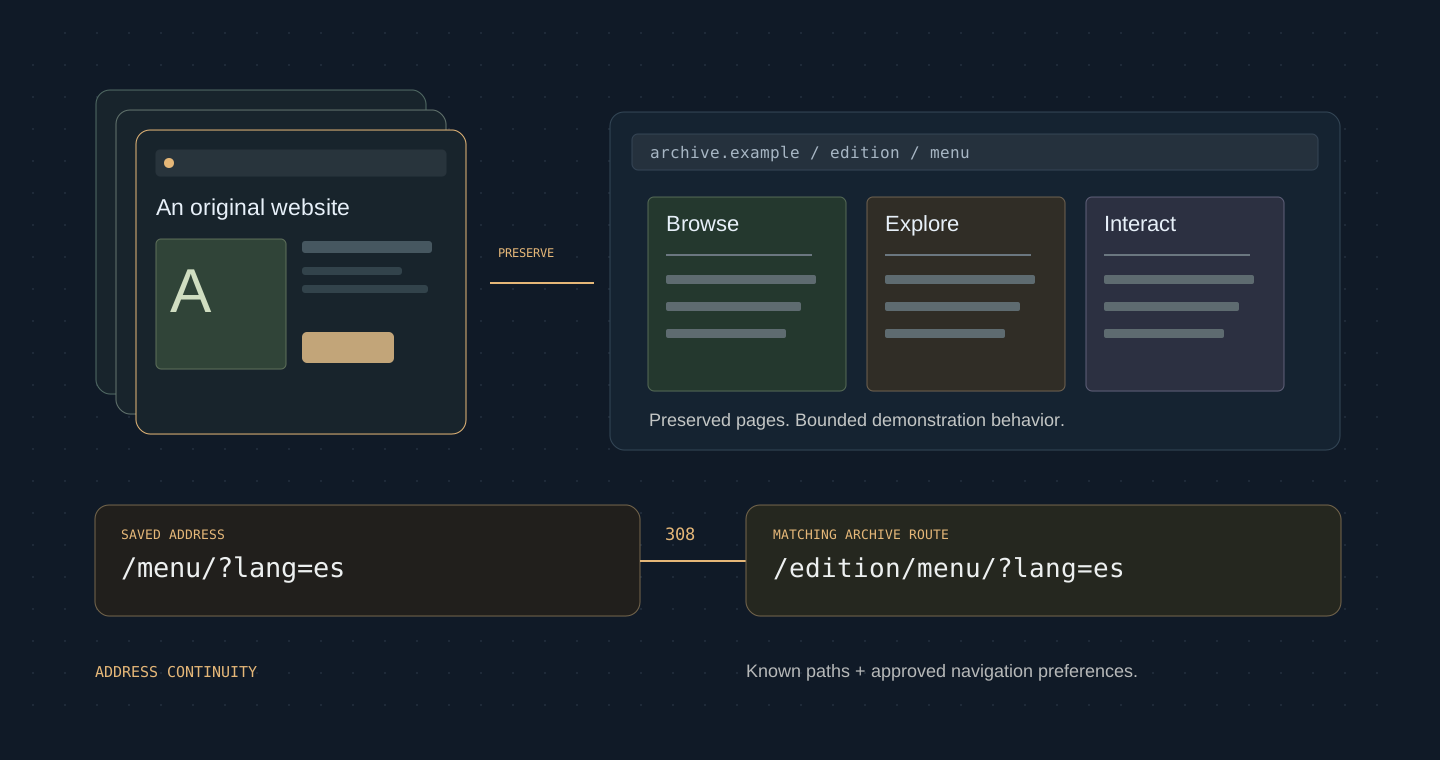
Keep the experience browsable and its addresses useful.
ImplementedInside the codeSanitized excerpt +
Carry only a public preference
Excerpt from the archive forwarder. The surrounding service validates the destination and known page routes before this step.
createForwarder · navigation allowlistconst target = new URL(destination);
target.pathname += path.slice(1);
// Carry an approved navigation preference only.
const lang = url.searchParams.get('lang');
if (lang === 'en' || lang === 'es') {
target.searchParams.set('lang', lang);
}
// Original query records and form data do not pass through.
Details & evidenceThe deeper read +
Ten archive editions are published across seven website families. The tooling is maintained privately with those editions; it has not been extracted as a general public distribution. Demonstrations contain approved presentation material and fictional interactions, while original records and licensed source remain private.
01Keep the experience, not just a screenshot+
A screenshot cannot show navigation, a language switch, a menu filter, or a complete customer journey. The archive preserves those interactions while allowing the main portfolio to remain lightweight. Visitors load a cover and description first; a full demonstration loads only when they choose to open it.
02Preserve before transforming+
The preservation process records exact source versions, dependency lockfiles, assets, route maps, and recovery instructions. Original histories remain intact. Fresh checkouts and frozen dependency builds verify that a backup can be used again. Private runtime data has a separate protected backup path because a source repository alone cannot restore an application’s records.
03Build an isolated demonstration edition+
Each archive is built from a maintained edition separate from the original source. Pages, responsive layouts, navigation, and useful browser interactions are retained. Workflows that formerly required a service are replaced with fictional local state, so visitors can explore the interaction without sending enquiries, taking payments, or altering client records.
04Group variants without losing their identity+
The archive contains ten demonstrations: Seren’s Fades; the Templo website and review tool; Dino’s Subs; the Miguel design archive; ULC Standard, Premium, and Dashboard; Corner Press; and Gino’s Subs. Related variants remain one project family in the portfolio while keeping their individual destinations and visual direction.
05Make migration recoverable+
Small forwarding services preserve previous addresses after archive verification. Deep links are mapped where corresponding pages exist. Release records identify the exact source and deployment, along with the version to restore. Original access audiences are retained rather than making private material public as a side effect of moving it.
06Give search engines the right destination+
Archive editions identify themselves as demonstrations and use noindex. Substantive project stories on the portfolio provide the search destinations and explain the work in context. This separates a preserved design experience from an active client business site without publishing private business circumstances.
07Verify the user journeys+
Build checks are paired with route and asset read-backs, responsive inspection, and sample workflow checks. The current hosted editions passed 181 route and asset checks; original-address forwarding was checked separately. The theme collection was inspected at phone and desktop widths. These are bounded verification results, not a blanket claim about every physical device.
08Reuse without redistributing client work+
The reusable ideas are build adapters, isolated demo behavior, route validation, source provenance, and recovery receipts. Client source, private review material, and licensed design assets stay with their appropriate private backups. Extracting a public toolkit would require a separate clean package and fictional examples.
SourcesImplementation and bounded verification
- Implementation and bounded verification
- Reviewed editor, application, and verification source. This story distinguishes implemented capabilities from pending integration and owner acceptance.
Static builds · Node.js · Route validation · Source recovery · Browser-local demos